Every deadline. Every matter.
Nothing missed.
A legal task and matter tracker that tells you exactly what needs your attention today — across every active matter, every morning.
Early access beta · No payment required
From new matter to
daily clarity — in three steps.
Add a matter. Pick a template.
Your task list is ready.
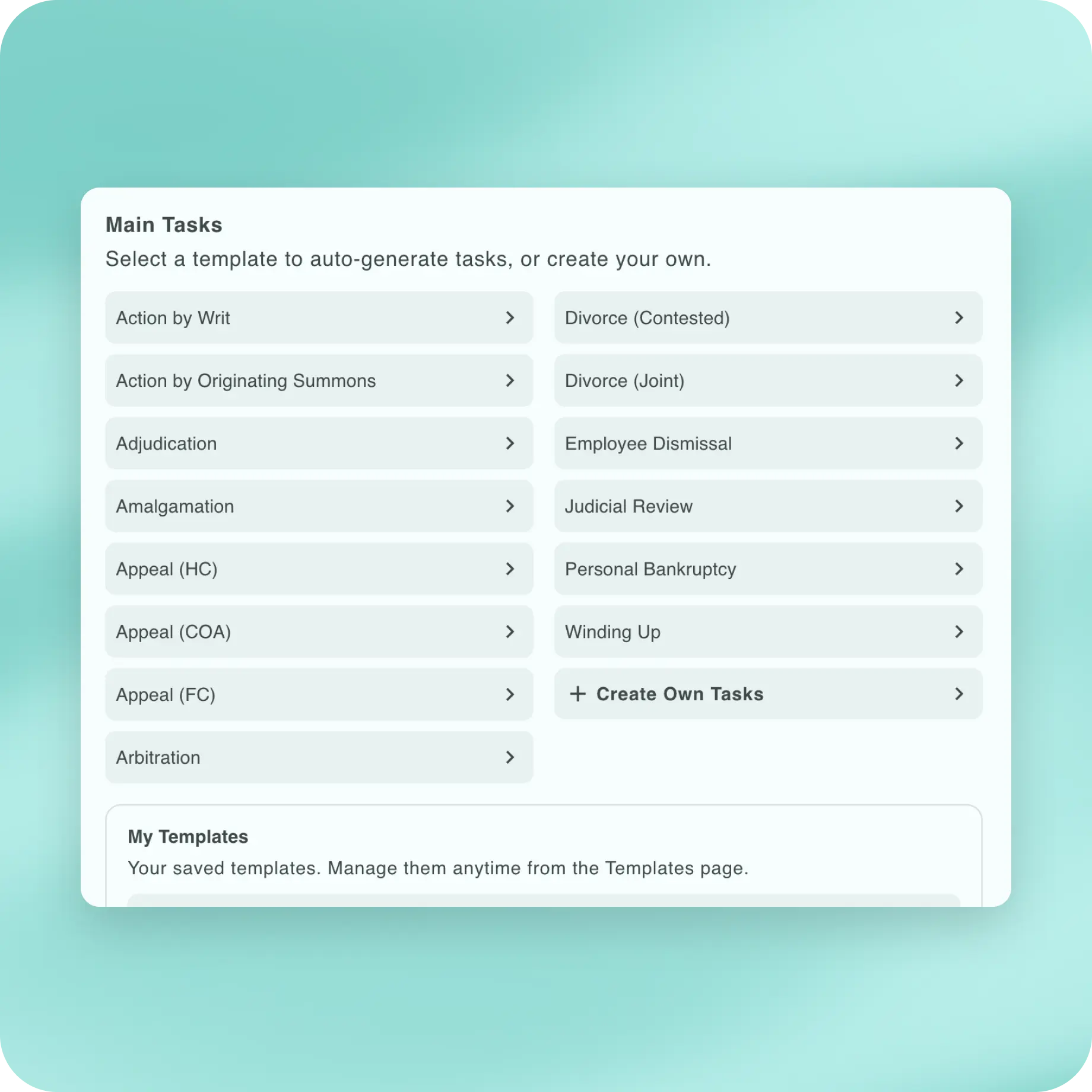
Select a built-in template that fits your matter type and Briefdesk generates the full task list for you. Set your due dates and statuses as you go.
Don't see what you need? Build your own template — once, reused forever across every matter of that type.
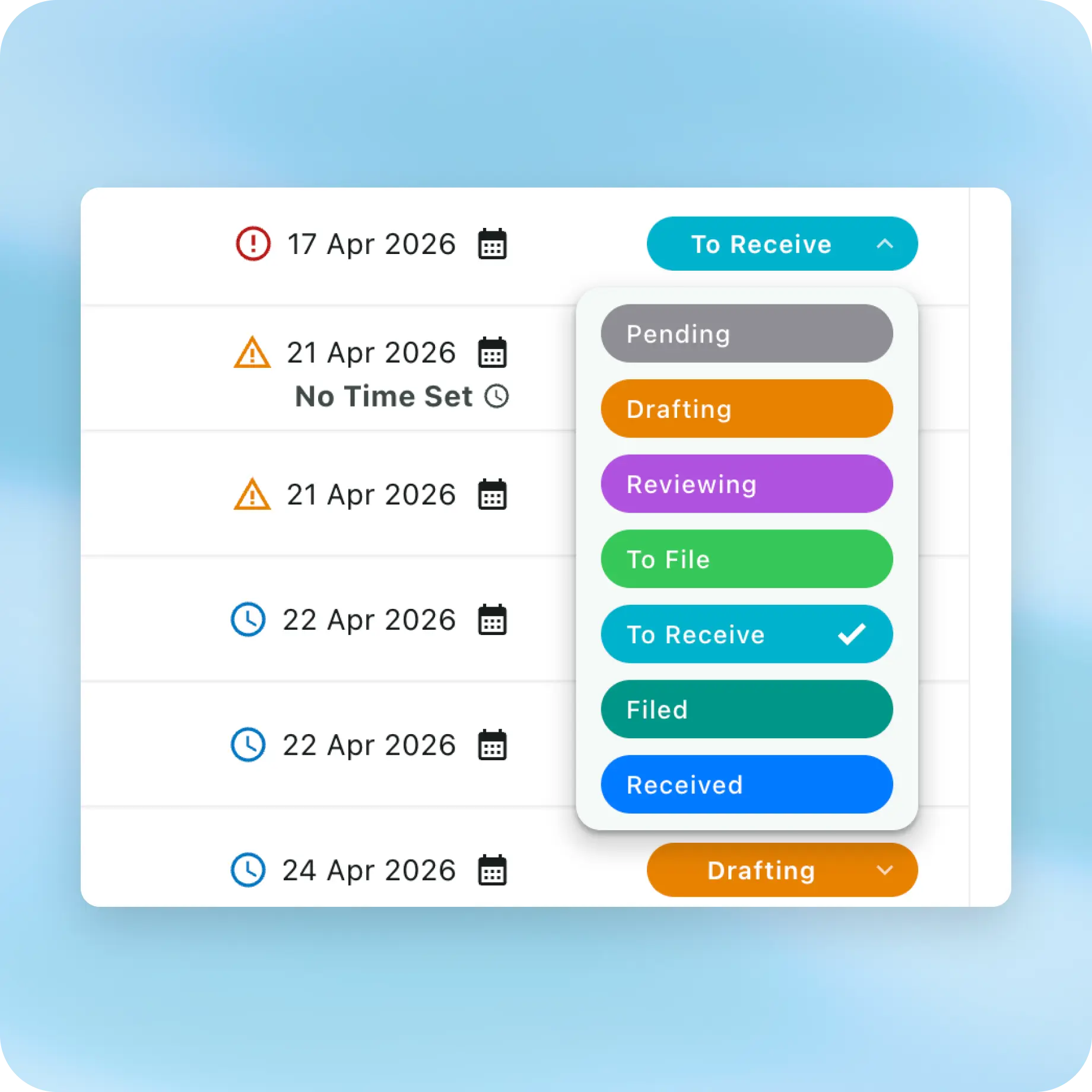
Every task has a status.
Every matter has a progress.
As you work — drafting, reviewing, waiting for replies — update each task's status. Briefdesk tracks completion across the matter automatically.
You always know what's done, what's in progress, and what's next.
Every morning, you know exactly where to start.
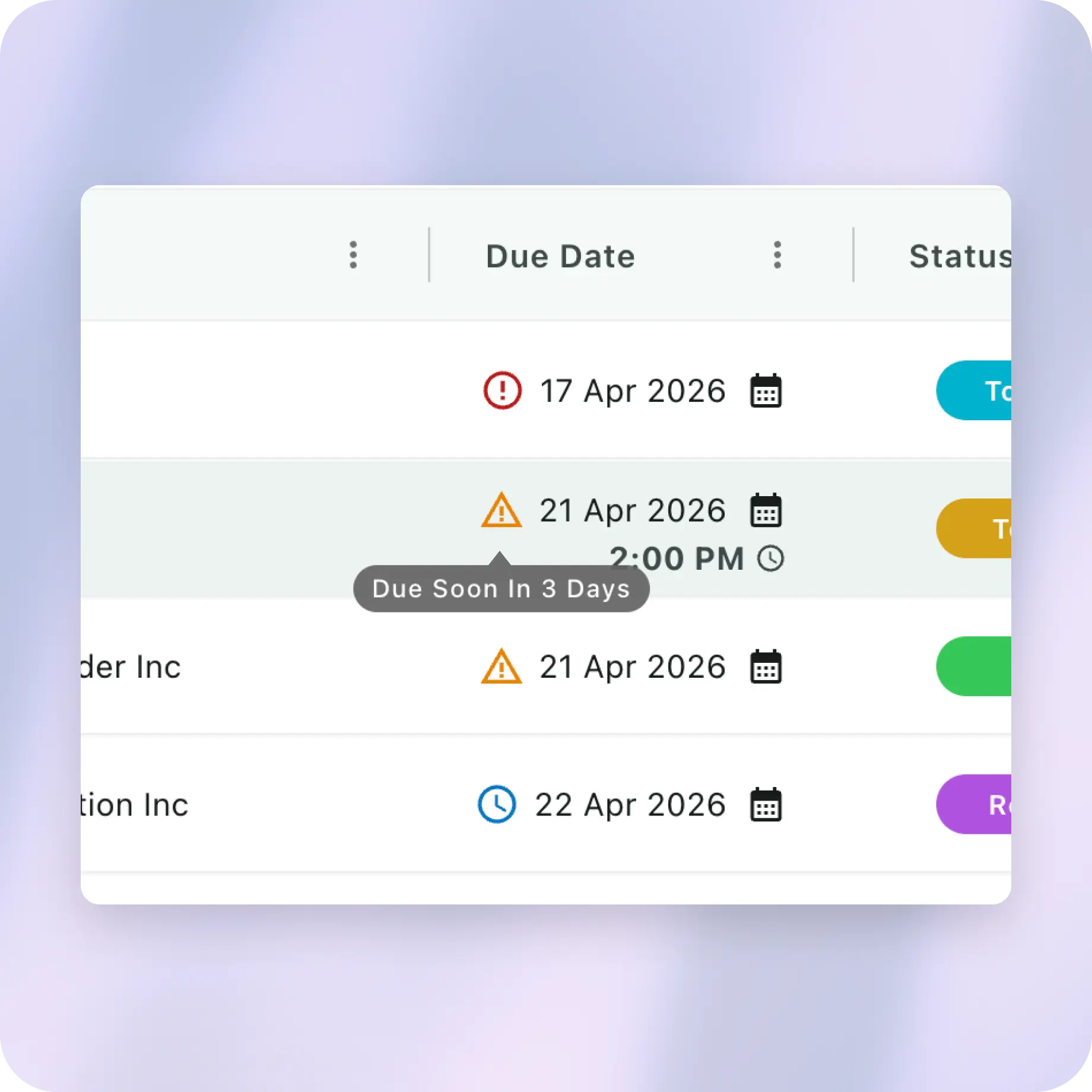
Open Briefdesk and your entire practice is already sorted for you. Overdue tasks appear in red with an exact day count. Today's tasks are next. Then what's coming soon. All of it, across every active matter in one view.
Built around how lawyers actually work.
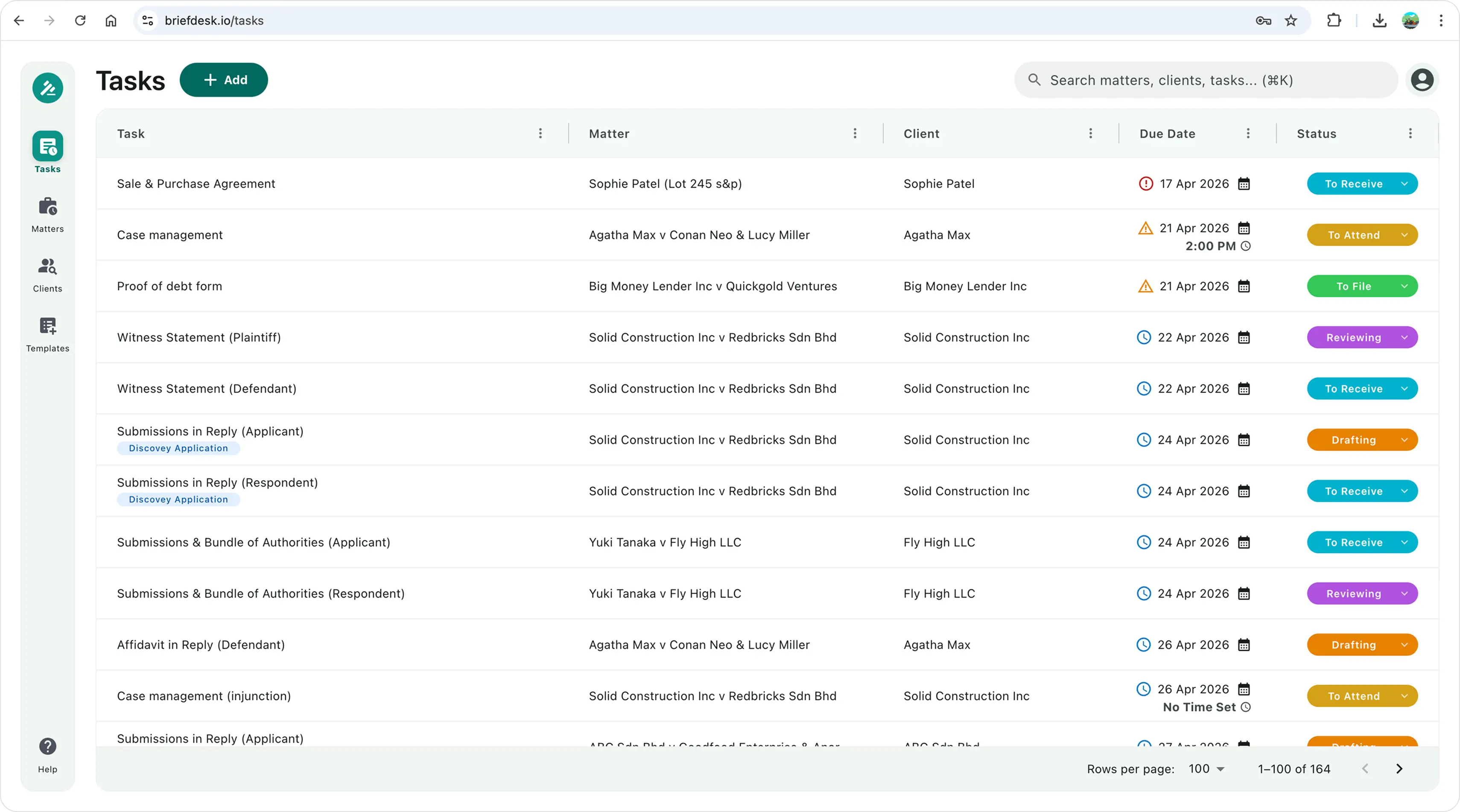
All your tasks, visible at a glance.
- Every task in one tableView all your tasks and select filters to show only tasks that need your attention.
- Reminder for due datesMonitor due dates with alerts: overdue in red, due today in orange and due within 14 days in blue.
- Direct access to any matter or client detailsClick on the matter name or client name to access further details of a matter or a client.
- Update due date or task statusChange the due dates or pick from seven statuses from the beginning to the completion of a task.
Setup a matter and automate task creation.
- Know exactly who is involved in every matterSelect party types and enter party names. View all parties involved in the party column.
- Task list pre-populates instantly from templatesSelect a template and tasks are automatically generated. Edit the tasks list before saving.
- Build your own task list and save it for next timeAdd tasks manually, and save that list as your own template for reuse.
- Interlocutory applicationsAdd interlocutory applications with auto-generated tasks, and assign existing parties or add new parties.
- Add meeting or court datesSet a date and time for each meeting or hearing. Mark it as To Attend or Attended as the day passes.
Add tasks to any matter, anytime.
- Quick matter search to add new tasksSearch by client or matter name to narrow the list — then pick the right matter to add new tasks.
- Do everything in one pageAdd as many new tasks as required, or new dates for meeting or court, in the same matter page.
Your professional tool.
Nobody else's.
Briefdesk works for any lawyer — whether you run your own practice or work inside a firm.
You are tracking matters in a spreadsheet, a notebook, or your phone calendar. Briefdesk becomes your professional tracking system — without the billing and accounting features you handle separately.
Start free — 6 months on usYou're already working across several tools. It all serves the firm. Briefdesk serves you. It sits alongside everything else and answers one simple question at the start of your day: what do I need to deal with today?
Start free — 6 months on usSimple. Transparent. Starts free.
Six months to decide if Briefdesk earns a place in your practice.
No pressure. No card.
- Unlimited matters and tasks
- Malaysian matter type templates
- Daily priority view with urgency indicators
- 7-step legal task workflow
- Custom templates for any practice area
Plan to include everything in Solo, plus:
- Assign & receive tasks
- Activity log per task and matter
- Shared templates
- Team roles & permissions
Questions & Answers
If you have any other questions, email us or WhatsApp us.